
Soundcloud To Mp3 Downloader
SoundCloud Downloader is an online tool in 2025 designed to convert SoundCloud tracks to MP3, giving users a simple way to download and enjoy their favorite music offline
SoundCloud Downloader is the online tool you need when you want a fast and simple way to convert SoundCloud to MP3. Whether you're traveling, working outdoors, or in any situation without internet access, this tool helps you download SoundCloud tracks so you can enjoy them offline on your laptop or mobile device.
To make that possible, we developed this SoundCloud Downloader 2025 with a focus on convenience and security. The interface is streamlined, the process is quick, and every conversion is handled safely to protect your device from risks.
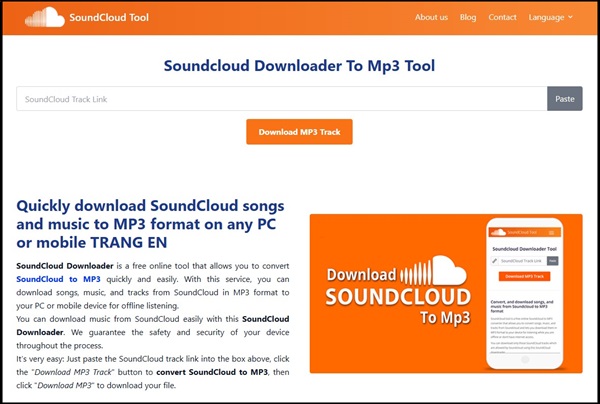
Using it is effortless: just paste the URL of the SoundCloud track into the field above, and our system will automatically convert and prepare the MP3 download for you. If you need visual guidance, scroll down to see the step-by-step instructions.
Why use our SoundCloud Downloader to convert SoundCloud to MP3?


On SoundCloud, you can enjoy streaming music online without limits, but offline listening isn’t always an option. Many tracks do not include a download button, and when your favorite song is one of them, it can be frustrating. That’s exactly why our SoundCloud Downloader exists - to help you save the songs you enjoy by converting them to MP3 and allowing you to download them for offline use whenever you need.

In addition to helping you enjoy SoundCloud music offline, our SoundCloud to MP3 converter is completely free to use, secure, and accessible on any device without limits. You can convert and download as many tracks as you want, and every file is delivered in standard high-quality MP3 format for the best listening experience.
How to convert SoundCloud to MP3 using our SoundCloud Downloader tool?
How to get Soundcloud music link
If you’re using a desktop, open the SoundCloud track in your web browser and simply copy the page URL from the address bar. On mobile devices, just tap the “Share” button inside the SoundCloud app and choose “Copy Link” to grab the track’s URL.
Paste link and convert Soundcloud to mp3
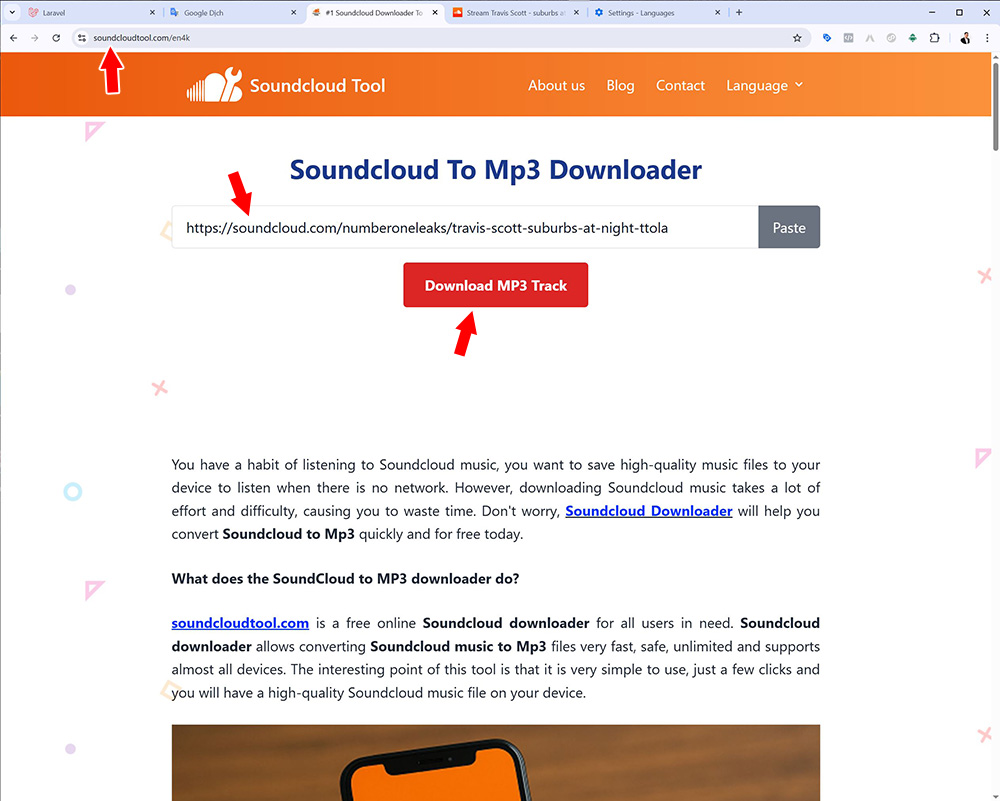
Once you’ve copied the SoundCloud track URL, paste it into the “SoundCloud Track Link” field at the top of our soundcloudtool.online page. After that, click “Download MP3 Track” and our system will start converting the SoundCloud audio into a high-quality MP3 file for you.
Save SoundCloud MP3 file
The system will need a few moments to process the SoundCloud to MP3 conversion. When the conversion is finished, you’ll be taken to the results page called “SoundCloud To MP3 Downloader Tool”. From there, simply click “Download MP3 Track” to save the audio file to your device. If any issues occur, you can follow the troubleshooting steps provided below.
Blog
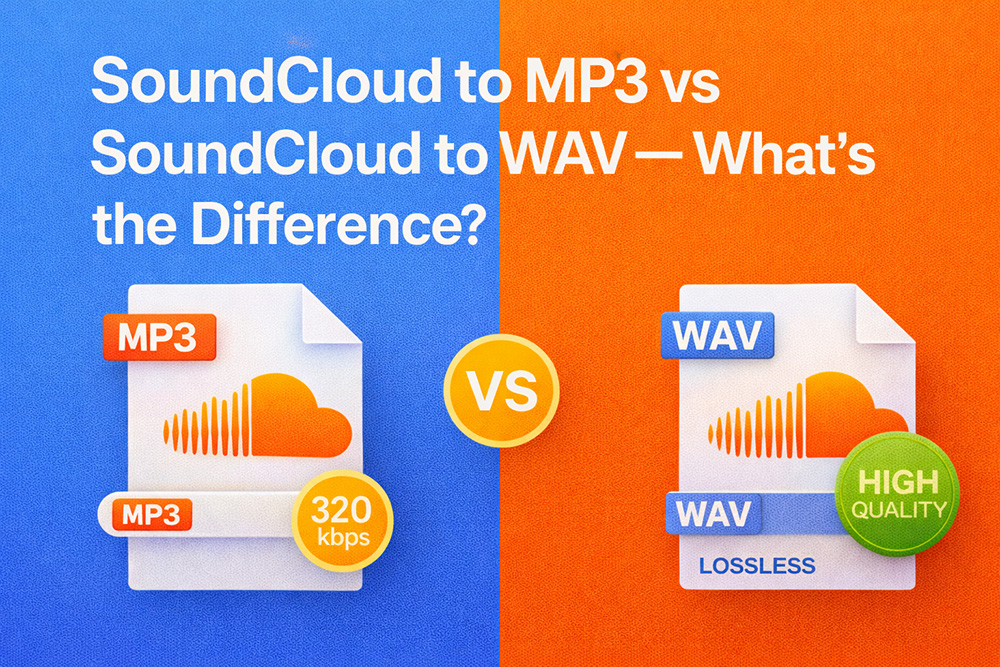
Soundcloud to MP3 vs Soundcloud to WAV - What's the Difference and Which One Should You Choose?
Soundcloud to MP3 vs Soundcloud to WAV - What's the Difference and Which One Should You Choose? Soundcloud Downloader Tiptricks.

How to Fix MP3 Files That Won’t Play After Downloading from SoundCloud
How to Fix MP3 Files That Won’t Play After Downloading from SoundCloud. Soundcloud to mp3 downloader tip tricks.

SoundCloud Downloader Online vs Music Download Apps: Which One Is Better? (2025 Comparison)
SoundCloud Downloader Online vs Music Download Apps: Which One Is Better? (2025 Comparison). Soundcloud to mp3 downloader tip tricks.
SoundCloud Won't Let You Download Songs? Legal Ways to Bypass the Restrictions (2025 Guide)
SoundCloud Won't Let You Download Songs? Legal Ways to Bypass the Restrictions (2025 Guide). Soundcloud to Mp3 Downloader tip tricks.
"Download Failed" Error on SoundCloud Downloader - Causes & Solutions (2025 Update)
"Download Failed" Error on SoundCloud Downloader / Causes & Solutions (2025 Update). Soundcloud to Mp3 Downloader tip tricks.
Why Can’t I Download Music from SoundCloud? Top 7 Common Errors & How to Fix Them (2025 Guide)
Why Can’t I Download Music from SoundCloud? Top 7 Common Errors & How to Fix Them (2025 Guide)

How To Make Money On Soundcloud From Audio Releases
Can you monetize SoundCloud tracks? Yes, and this guide explains exactly how SoundCloud monetization works and how you can start earning.

Where is Soundcloud profile url?
Many users wonder where to find their SoundCloud profile URL. We’ll show you how to locate and edit it on Desktop, Android, and iOS.
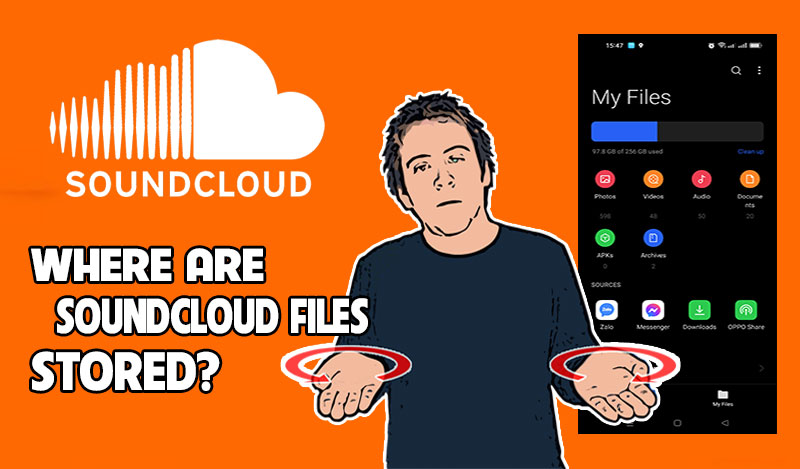
Where does the soundcloud download go?
Many users wonder where SoundCloud files are stored. Don’t worry - we’ll show you exactly where to locate them on every device.
What does the SoundCloud to MP3 downloader do?
soundcloudtool.online offers a free and reliable SoundCloud Downloader built for users who want a fast way to convert SoundCloud tracks into MP3 files. With this tool, you can turn any SoundCloud song into an MP3 within seconds - securely, without limits, and with full support for nearly every type of device. Its biggest advantage is simplicity: just paste the track link, click once or twice, and your high-quality MP3 file is ready to download.
While many services claim to convert SoundCloud to MP3, a large number of them perform poorly on mobile devices, suffer from slow processing due to weak servers, or display confusing interfaces that make users doubt their safety. Our platform eliminates all of those problems, giving you a smooth, transparent, and consistently reliable SoundCloud to MP3 experience.
Why should you choose our SoundCloud Downloader to MP3?
Everyone knows SoundCloud requires an internet connection to stream music, and many tracks cannot be downloaded directly from the platform. With our SoundCloud Downloader, you can save any SoundCloud track to your device in seconds and listen offline whenever you want - ideal for users with unstable, limited, or expensive internet access.
Unlike many competing converters, our SoundCloud to MP3 Downloader is completely free with no caps on the number of downloads and no time-based limits. You don’t need to register or create an account; simply paste the SoundCloud URL and our system will immediately convert it into a high-quality MP3 file.
Security is a major concern when downloading anything online. Many sites include hidden scripts, unsafe ads, or malware risks - but our tool is built differently. We use secure protocols and run on a dedicated, optimized server infrastructure to deliver fast conversions while keeping your device completely safe.
During development, we noticed that many competing tools fail to operate properly on mobile devices - some cannot convert at all, while others produce corrupted MP3 files. That’s why we made cross-platform compatibility a core priority. Today, our tool runs flawlessly on phones, computers, and tablets, providing a smooth and consistent experience on any device.
Try it once, and you’ll immediately feel the difference.
SoundCloud to MP3 Downloader: Step-by-Step Guide with Visual Instructions
When using our SoundCloud to MP3 Downloader, the only part that may feel unclear is how to copy the correct SoundCloud track URL. Once you have that link, the rest is extremely simple - paste it into our converter, click a few buttons, and your MP3 file will be ready to download almost instantly.
Step 1: Copy the SoundCloud Track URL
On mobile:
Open the SoundCloud app, tap the “Share” icon on the song you want, and select “Copy Link” to copy the track address.
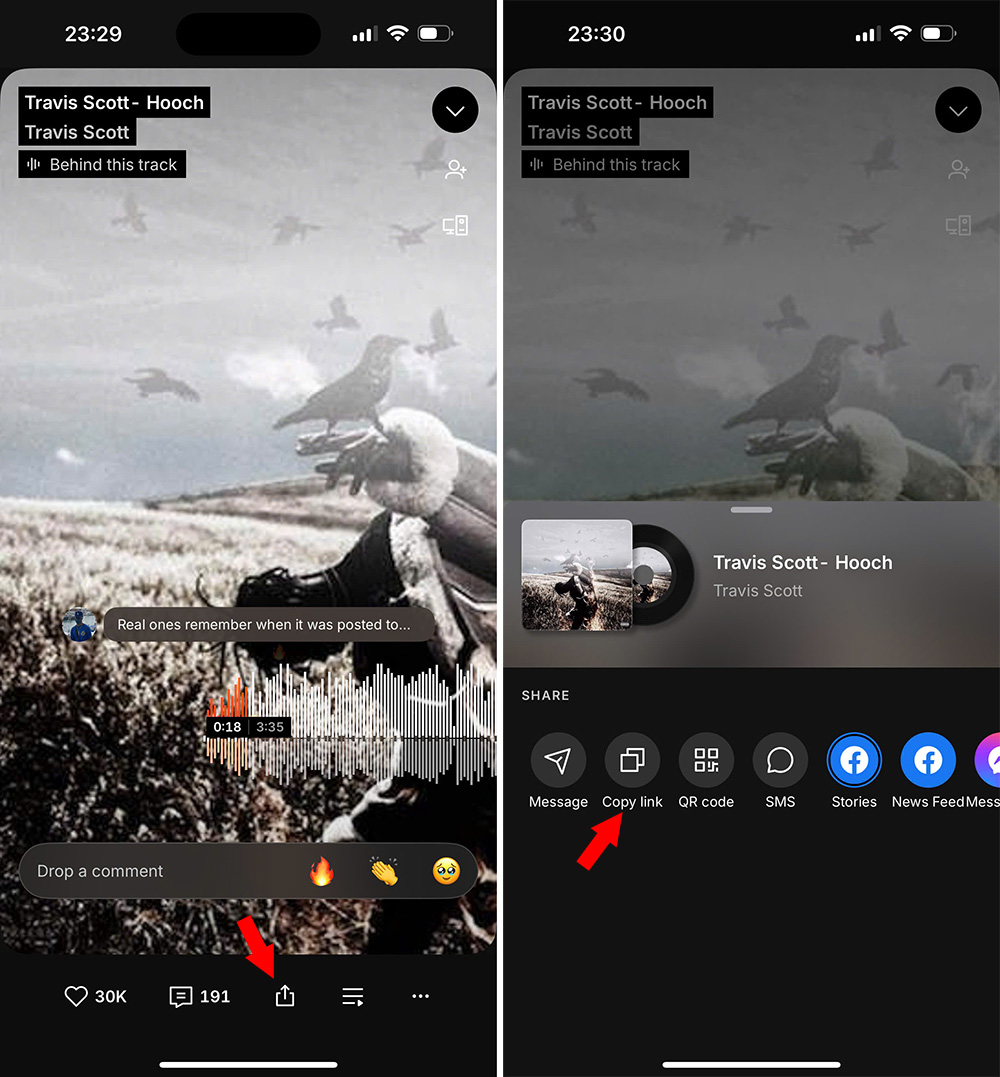
On desktop:
Open the song in any web browser and copy the full URL from the browser’s address bar.

Step 2: Start the SoundCloud to MP3 Conversion
After copying the track link, go to our website and paste the URL into the input field.
Then click “Download MP3 Track” to begin the conversion process.
Our system will automatically fetch the audio and prepare it for MP3 download.
Step 3: Download Your MP3 File
Wait a few seconds while the tool completes the conversion.
Once done, click “Download MP3 Track” again to save the MP3 file directly to your device.
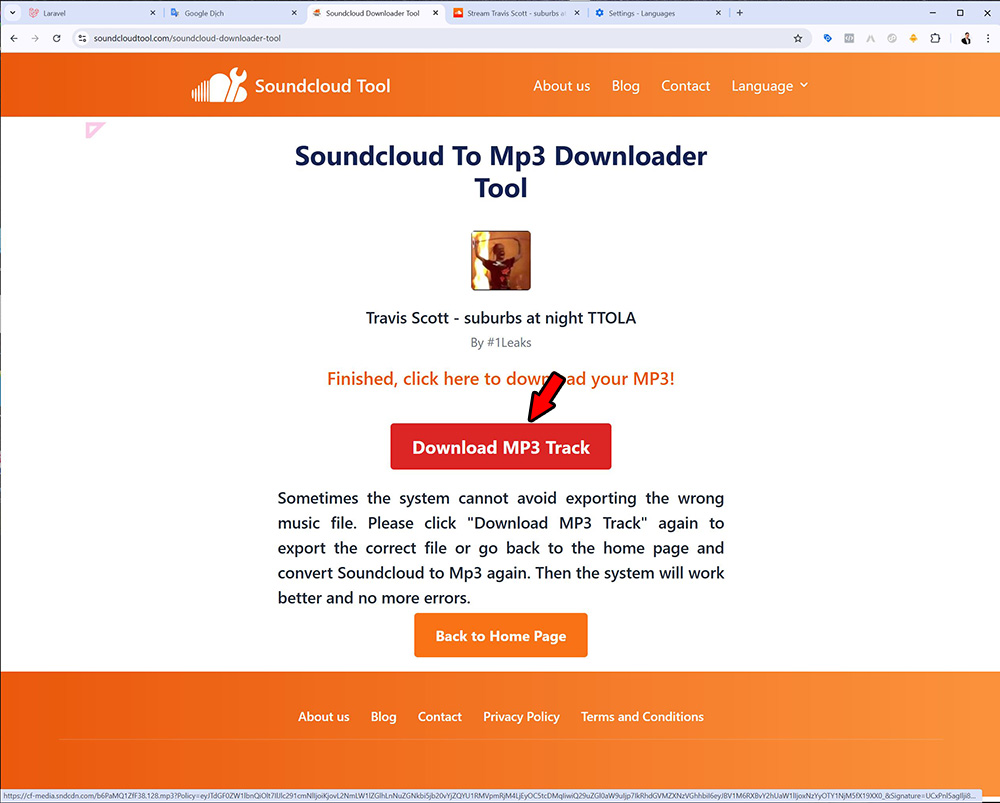
If your download does not begin automatically:
- - Desktop: Right-click the “Download MP3 Track” button and choose “Save link as”.
- - Mobile: Return to the homepage and repeat the conversion steps.
Our SoundCloud Downloader is designed to be simple, fast, and fully compatible with most browsers and devices, allowing you to convert SoundCloud tracks to MP3 effortlessly and enjoy high-quality audio at any time.
Frequently Asked Questions About Our SoundCloud to MP3 Downloader Tool
1. What updates were made to the SoundCloud Downloader in 2025?
In 2025, our SoundCloud to MP3 converter received a significant upgrade. We enhanced server performance, improved conversion accuracy, and increased stability so the tool remains fast even on weak or unstable networks.
Thanks to these improvements, the downloader now handles multiple conversions smoothly, reduces error rates, and delivers MP3 files with better consistency than previous versions.
2. Why does the tool sometimes convert the wrong SoundCloud track?
Our conversion engine delivers an accuracy rate of about 90%, but occasional mismatches may occur due to metadata inconsistencies from SoundCloud.
If you receive the wrong output file, simply run the conversion again.
With our new 2025 server optimizations, the accuracy and reliability of conversions have increased noticeably.
3. What are the benefits of using our SoundCloud to MP3 Downloader?
SoundCloud allows free streaming but restricts downloading for many tracks, often requiring a subscription or user login.
Our SoundCloud Downloader removes those limitations—you can convert SoundCloud music to MP3 instantly, completely free, and with full offline support.
4. Does your SoundCloud converter cost anything to use?
No. Our service is 100% free.
There are no hidden fees, no account creation, and no limits on how many SoundCloud tracks you can convert or download.
5. Are the MP3 files high quality?
Yes. Every converted MP3 file is processed to retain excellent audio clarity based on the original SoundCloud source.
Whether it’s long-form podcasts or high-bitrate music tracks, the output remains crisp and consistent.
6. How long does it take to convert a SoundCloud track?
Most conversions finish within seconds.
If you’re converting a long audio file or have a slow connection, it might take slightly longer, but the tool is designed to complete tasks quickly and efficiently.
7. Can I download more than one SoundCloud track?
Absolutely. You can run the converter as many times as you need.
The system is optimized for continuous, high-volume use, making it ideal for users who download multiple SoundCloud songs daily.
8. What should I do if the download stops or doesn’t begin?
If the MP3 doesn’t download automatically:
Desktop: Right-click “Download MP3 Track” and select “Save link as…”
If issues persist: Refresh the page or clear your browser cache and try again.
9. Is the SoundCloud Downloader compatible with all devices?
Yes. The tool has been tested on a wide range of devices - desktop computers, Android phones, iPhones, tablets, and various operating systems.
It works smoothly on all major browsers and platforms.
10. Where are my downloaded MP3 files saved?
Your MP3 files are saved directly to your browser’s default download folder.
Chrome on Windows/macOS: Check the Downloads folder or press:
Ctrl + J (Windows)
Cmd + J (Mac)
Mobile devices: Check your File Manager, Downloads folder, or your Music directory.
11. Does your SoundCloud converter store user data or song information?
No. We do not store files, URLs, or any personal data.
The tool uses secure HTTPS connections and private servers to ensure your privacy.
It functions only as a temporary bridge to convert SoundCloud tracks to MP3 safely - nothing is saved or logged.